

信息技术与应用导论(第7版影印版)
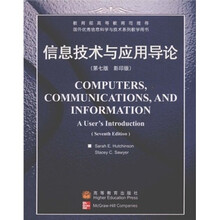
目 录内容简介
1.Overview:The Foundation for Your Future
1.1 Whw Is the User?—Mostly People Like You
1.2 The Importance ot Becoming
1.3 What Is a Comprter-Based Information
The Digital Basis of Computers
The Analog Basis of Life
1.4 Comprter Hardware
Input Hardware
Processing and Memory(Primary Storage)
Hardware
Output Hardware
Secondary Storage Hardware
Communications Hardware
1.5 Computer Software
System Software:The Computers Boss
Applications Software:Your Servant
1.6 Types of Computer Systems:Whats the Difference?
1.7 Milestones in Computer Development
The Evolution of Computers:Data Overload or Knowledge
1.8 Computiong Trends:Connectivity,Interactivity,and Digital Convergence
Connectivity
Interactivity
Digital Convergence
CAREER BOX:Using Computers in Real Estate
CAREER BOX:Using Computers in Government and Politics
Summary
Exerciuses
EPISODE 1:Starting a Web Business E1.36
2.Processing Hardware:Turning Data into Something You Can Use
2.1 How Data and Programs Are Represented in the Computer
Binary Coding Schemes
The Parity Bit:Checking for Errors
Machine Language:Your Brand of Computers Very Own Language
How Computer Capacity Is Expressed:Bit by Bit
2.2 The Processor,Main Memory,and Registers
The Processor In Charge
Specialized Processor Chips:Assistants to the CPU
CISC,RISC,and MPP:Not All Processors Are Created Equal
Main Memory:Working Storqge Area for the CPU
Registers
The Machine Cycle:How a Single Instruction Is Processed
2.3 Telling Computers Apart:RAM Capacity,Word Size,and Processor Speed
RAM Capacity
Word Size
Processing Speeds
2.4 Focus on the Microcomputer:Whats Inside?
The Power Supply
The Motherboard
The Microprocessor
RAM Chips
ROM Chips
Other Forms of Memory
Ports:Connecting Peripherals
Expansion Slots and Boards
2.5 Coming Attractions?
CAREER BOX:Using Computers in Law
CAREER BOX:Using Computers in Information Technolgy
Summary
Exercises
3 Input/Output Hardware:Interfaces Between You& the Computer
3.1 I/O, I/O, Its Off to Work We Go
3.2 Input Hardware
Keyboard Input
Pointing Devices
Source-Data Entry
Scanning Devices
Voice Recognition
Audio Input Devices
Video and Photographic Input
Sensors
Human-Biology Input Devices
Multimedia Input Needs
Input Controls: Preserving Data Integrity
3.3 Output Hardware
Impact Printers
Nonimpact Printers
Plotters
Installing a Printer or Plotter
Muttifunction Printer Technology." One for All
Monitors
Future Display Technology
Audio Output Hardware
Multimedia Output Needs
3.4 In and Out: Devices That Do Both
Terminals
Smart Cards and Optical Cards
Touch Screens
Now You See It, Now You Dont
CAREER BON,: Using Computers in
Law Enforcement
CAREER BOX: Using Computers in
Genealogy
Summary
Exercises
EPISODE 2: Deciding to Start Your Web
Business
4 Storage Hardware:Preserving Data& Information
4.1 Storage Fundamentals
Common Elements of Storage Technology
Types of Files
What Can You Do with Files Besides Filing Them?
4.2 Tape Storage
4.3 Diskette Storage
How a Disk Drive Works
Characteristics of Diskettes
4.4 Hard Disks
Nonremovable Internal Hard Disk Drives of Microcomputers
Microcomputer Hard Disk Variations." Power and Portability
Virtual Memory: Using Disk Space to Increase RAM
Hard Disk Technology for Large Computer Systems
Future Hard Disk Technology." The MR Head
4.5 Optical Disks
CD-ROM Disks
CD-R Disks
CD-RW Disks
DVD-ROM." The "Digital Convergence" Disk
4.6 The Importance of Backup
4.7 Other Forms of Secondary Storage
Flash-Memory Cards
Advanced Storage Technology
CAREER BOX: Using Computers in
Agriculture
Summary
Exercises
5 System Software: The Director
5.1 Two Basic Software Types: For the
Computer and for the User
5.2 System Software Components
Operating System: In Control
Utility Programs: Helping Hands
Language Translators
System Software Interfaces
5.3 Common Operating Systems:
Platforms
DOS and Windows 3.x
Windows 9x
Windows NT I Windows 2000
OSl2 Warp
Unix
Linux
Macintosh OS
Net Ware
5.4 The Future: Is the Web Changing
Everything?
Bloatware or the Network Computer?
The Jolt from Java
CAREER BOX: Using Computers in
Photography
Summary
Exercises
6 Applications Software:The Users Tools
6.1 Applications Software Tools
6.2 Common Features of Applications Software
Compatibility Issues: What Goes with What?
6.3 Productivity Software Tools
Word Proeessing Software
Spreadsheet Software
Personal Finance Software
Presentation Graphics
Database Management System Software
Groupware
Desktop Accessories and PIMs
Integrated Software and Software Suites
Web Browsers
6.4 Specialty Applications Software Tools
Desktop-Publishing Software
Project Management Software
Computer-Aided Design (CAD) and
Manufacturing (CAM)
Drawing and Painting Software
Multimedia Authoring Software
6.5 Installing and Updating Applications Software
Installing Applications Software
Software Versions and Releases
6.6 Ethics and Intellectual Property Rights: When Can You Copy?
What Is a Copyright?
Piracy, Plagiarism. and Ownership of Image and Sounds
Public Domain Software, Freeware, and Shareware
Proprietary Software and Types of Licenses
The Software Police
CAREER BOX: Using Computers in
Automobile Manufacturing
CAREER BOX: Using Computers in
Sports
Summary
Exercises
EPISODE 3: Planing for Commerce at Your
Site
7
Communi cations
Technology: Starting
Along the Information
Superhighway
7.1 Using Computers to Communicate
Technological Basics
Analog Signals: Continuous Waves
Digital Signals: Discrete Bursts
The Modem: The Great Translator
Communications Software
ISDN,, Cable Modems, ADSL, and Dishes:
Faster, Faster, Faster?
7.2 Communications Channels: The Conduits
of Communications
Twisted-Pair Wire
Coaxial Cable
Fiber-Optic Cable
Microwave Systems
Satellite Systems
Other Wireless Communications
7.3 Factors Affecting Communications Among Devices
Transmission Rate." Higher Frequency, Wider BandwMth. More Data
Line Configurations: Poin t-to-Point and Multipoint
Serial and Parallel Transmission
Direction of Transmission Flow: Simplex,Half-Duplex, and Full-Duplex
Transmission Mode: Asynchronous VersusSynchronous
Packet Switching: Getting More Data on a Network
Multiplexing: Enhancing Communications
Efficienctes
Protocols: The Rules of Data
Transmission
7.4 Communications Networks
Types of Networks: Wide Area, Metropolitan
Area. and Local
Some Network Features: Hosts and Nodes.
Downloading and Uptoading
Advantages of Networks
7.5 Local Networks
Types of Local Networks: PBXs and LANs
Types of LANs: Client-Server andPeer-to-Peer
Topology of LANs
7.6 Networking at Work
Fax Messages
Voice Mail
Electronic Mail
Videoconferencing and V-Mail
Workgrouping Computing and Groupware
Electronic Data Interchange
Intranets and Extranets
Telecommuting
The Virtual Office
CAREER BOX: Using Careers in
Retailing (E-Tailing)
Summary
Exercises
Uses of Communications
Technology: Tel ecommuti ng,
Online Resources, &the Internet
8.1 TheInternet
Where Did the Internet Come From?
Connecting to the Internet
What Can You Use the Internet for?
Internet Addresses
8.2 The World Wide Web
Popular Uses of the Web
Browsing the Web
Searching the Web
Experiencing Multimedia on the Web
Designing Web Pages
Push Technology: Web Sites Come Lookingfor You
8.3 Online Services: Who Should UseThem?
Online Services Versus Portals: Is There a Difference?
3.Input/Output Hardware:Interfaces Between You & the Computer
4.Storage Hardware:Preserving Data & Information
5.System Software:The Director
6.Applications Software:The Users Tools
7.Communications Technology:Starting Along The Information Superhighway
8.Uses of Communications Technology:Telecommuting,Online Resources,& The Internet
9.Information Systems Analysis & Design:The Systems Development Life Cycle
10.Software Programming & Languages:Where Software Comes From
11.Information Management:Who Needs To Know What,& When?
12.Files & Databases:Organizing & Maintaining Digital Data
13.Advances in Computing:Multimedia,Artificial Intelligence,&Intelligent Agents
14.Ethics,Privacy,Security,&Social Questions:Computing for Right Living
1.1 Whw Is the User?—Mostly People Like You
1.2 The Importance ot Becoming
1.3 What Is a Comprter-Based Information
The Digital Basis of Computers
The Analog Basis of Life
1.4 Comprter Hardware
Input Hardware
Processing and Memory(Primary Storage)
Hardware
Output Hardware
Secondary Storage Hardware
Communications Hardware
1.5 Computer Software
System Software:The Computers Boss
Applications Software:Your Servant
1.6 Types of Computer Systems:Whats the Difference?
1.7 Milestones in Computer Development
The Evolution of Computers:Data Overload or Knowledge
1.8 Computiong Trends:Connectivity,Interactivity,and Digital Convergence
Connectivity
Interactivity
Digital Convergence
CAREER BOX:Using Computers in Real Estate
CAREER BOX:Using Computers in Government and Politics
Summary
Exerciuses
EPISODE 1:Starting a Web Business E1.36
2.Processing Hardware:Turning Data into Something You Can Use
2.1 How Data and Programs Are Represented in the Computer
Binary Coding Schemes
The Parity Bit:Checking for Errors
Machine Language:Your Brand of Computers Very Own Language
How Computer Capacity Is Expressed:Bit by Bit
2.2 The Processor,Main Memory,and Registers
The Processor In Charge
Specialized Processor Chips:Assistants to the CPU
CISC,RISC,and MPP:Not All Processors Are Created Equal
Main Memory:Working Storqge Area for the CPU
Registers
The Machine Cycle:How a Single Instruction Is Processed
2.3 Telling Computers Apart:RAM Capacity,Word Size,and Processor Speed
RAM Capacity
Word Size
Processing Speeds
2.4 Focus on the Microcomputer:Whats Inside?
The Power Supply
The Motherboard
The Microprocessor
RAM Chips
ROM Chips
Other Forms of Memory
Ports:Connecting Peripherals
Expansion Slots and Boards
2.5 Coming Attractions?
CAREER BOX:Using Computers in Law
CAREER BOX:Using Computers in Information Technolgy
Summary
Exercises
3 Input/Output Hardware:Interfaces Between You& the Computer
3.1 I/O, I/O, Its Off to Work We Go
3.2 Input Hardware
Keyboard Input
Pointing Devices
Source-Data Entry
Scanning Devices
Voice Recognition
Audio Input Devices
Video and Photographic Input
Sensors
Human-Biology Input Devices
Multimedia Input Needs
Input Controls: Preserving Data Integrity
3.3 Output Hardware
Impact Printers
Nonimpact Printers
Plotters
Installing a Printer or Plotter
Muttifunction Printer Technology." One for All
Monitors
Future Display Technology
Audio Output Hardware
Multimedia Output Needs
3.4 In and Out: Devices That Do Both
Terminals
Smart Cards and Optical Cards
Touch Screens
Now You See It, Now You Dont
CAREER BON,: Using Computers in
Law Enforcement
CAREER BOX: Using Computers in
Genealogy
Summary
Exercises
EPISODE 2: Deciding to Start Your Web
Business
4 Storage Hardware:Preserving Data& Information
4.1 Storage Fundamentals
Common Elements of Storage Technology
Types of Files
What Can You Do with Files Besides Filing Them?
4.2 Tape Storage
4.3 Diskette Storage
How a Disk Drive Works
Characteristics of Diskettes
4.4 Hard Disks
Nonremovable Internal Hard Disk Drives of Microcomputers
Microcomputer Hard Disk Variations." Power and Portability
Virtual Memory: Using Disk Space to Increase RAM
Hard Disk Technology for Large Computer Systems
Future Hard Disk Technology." The MR Head
4.5 Optical Disks
CD-ROM Disks
CD-R Disks
CD-RW Disks
DVD-ROM." The "Digital Convergence" Disk
4.6 The Importance of Backup
4.7 Other Forms of Secondary Storage
Flash-Memory Cards
Advanced Storage Technology
CAREER BOX: Using Computers in
Agriculture
Summary
Exercises
5 System Software: The Director
5.1 Two Basic Software Types: For the
Computer and for the User
5.2 System Software Components
Operating System: In Control
Utility Programs: Helping Hands
Language Translators
System Software Interfaces
5.3 Common Operating Systems:
Platforms
DOS and Windows 3.x
Windows 9x
Windows NT I Windows 2000
OSl2 Warp
Unix
Linux
Macintosh OS
Net Ware
5.4 The Future: Is the Web Changing
Everything?
Bloatware or the Network Computer?
The Jolt from Java
CAREER BOX: Using Computers in
Photography
Summary
Exercises
6 Applications Software:The Users Tools
6.1 Applications Software Tools
6.2 Common Features of Applications Software
Compatibility Issues: What Goes with What?
6.3 Productivity Software Tools
Word Proeessing Software
Spreadsheet Software
Personal Finance Software
Presentation Graphics
Database Management System Software
Groupware
Desktop Accessories and PIMs
Integrated Software and Software Suites
Web Browsers
6.4 Specialty Applications Software Tools
Desktop-Publishing Software
Project Management Software
Computer-Aided Design (CAD) and
Manufacturing (CAM)
Drawing and Painting Software
Multimedia Authoring Software
6.5 Installing and Updating Applications Software
Installing Applications Software
Software Versions and Releases
6.6 Ethics and Intellectual Property Rights: When Can You Copy?
What Is a Copyright?
Piracy, Plagiarism. and Ownership of Image and Sounds
Public Domain Software, Freeware, and Shareware
Proprietary Software and Types of Licenses
The Software Police
CAREER BOX: Using Computers in
Automobile Manufacturing
CAREER BOX: Using Computers in
Sports
Summary
Exercises
EPISODE 3: Planing for Commerce at Your
Site
7
Communi cations
Technology: Starting
Along the Information
Superhighway
7.1 Using Computers to Communicate
Technological Basics
Analog Signals: Continuous Waves
Digital Signals: Discrete Bursts
The Modem: The Great Translator
Communications Software
ISDN,, Cable Modems, ADSL, and Dishes:
Faster, Faster, Faster?
7.2 Communications Channels: The Conduits
of Communications
Twisted-Pair Wire
Coaxial Cable
Fiber-Optic Cable
Microwave Systems
Satellite Systems
Other Wireless Communications
7.3 Factors Affecting Communications Among Devices
Transmission Rate." Higher Frequency, Wider BandwMth. More Data
Line Configurations: Poin t-to-Point and Multipoint
Serial and Parallel Transmission
Direction of Transmission Flow: Simplex,Half-Duplex, and Full-Duplex
Transmission Mode: Asynchronous VersusSynchronous
Packet Switching: Getting More Data on a Network
Multiplexing: Enhancing Communications
Efficienctes
Protocols: The Rules of Data
Transmission
7.4 Communications Networks
Types of Networks: Wide Area, Metropolitan
Area. and Local
Some Network Features: Hosts and Nodes.
Downloading and Uptoading
Advantages of Networks
7.5 Local Networks
Types of Local Networks: PBXs and LANs
Types of LANs: Client-Server andPeer-to-Peer
Topology of LANs
7.6 Networking at Work
Fax Messages
Voice Mail
Electronic Mail
Videoconferencing and V-Mail
Workgrouping Computing and Groupware
Electronic Data Interchange
Intranets and Extranets
Telecommuting
The Virtual Office
CAREER BOX: Using Careers in
Retailing (E-Tailing)
Summary
Exercises
Uses of Communications
Technology: Tel ecommuti ng,
Online Resources, &the Internet
8.1 TheInternet
Where Did the Internet Come From?
Connecting to the Internet
What Can You Use the Internet for?
Internet Addresses
8.2 The World Wide Web
Popular Uses of the Web
Browsing the Web
Searching the Web
Experiencing Multimedia on the Web
Designing Web Pages
Push Technology: Web Sites Come Lookingfor You
8.3 Online Services: Who Should UseThem?
Online Services Versus Portals: Is There a Difference?
3.Input/Output Hardware:Interfaces Between You & the Computer
4.Storage Hardware:Preserving Data & Information
5.System Software:The Director
6.Applications Software:The Users Tools
7.Communications Technology:Starting Along The Information Superhighway
8.Uses of Communications Technology:Telecommuting,Online Resources,& The Internet
9.Information Systems Analysis & Design:The Systems Development Life Cycle
10.Software Programming & Languages:Where Software Comes From
11.Information Management:Who Needs To Know What,& When?
12.Files & Databases:Organizing & Maintaining Digital Data
13.Advances in Computing:Multimedia,Artificial Intelligence,&Intelligent Agents
14.Ethics,Privacy,Security,&Social Questions:Computing for Right Living
目 录内容简介
《信息技术与应用导论(第7版影印版)》综合介绍信息技术的知识、技能以及与信息技术相关的人文和社会方面的内容。作为各专业的信息技术导论性课程,《信息技术与应用导论(第7版影印版)》既介绍了计算机软硬系统的基础知识,同时也介绍了如何使用计算机处理日常报表、报告、数据库、通信等。《信息技术与应用导论(第7版影印版)》尽可能地将最有用的信息综合起来提供给读者,因此,《信息技术与应用导论(第7版影印版)》具有如下特点:①覆盖面广。几乎包含了要了解IT技术所必须掌握的所有核心概念和内容,详而不繁。②实用性强。所讲述的软件都是最新的,涉及的内容包罗万象。③复习巩固提高。每章都有关键问题表,章末都有“是什么、怎么做、为什么重要”式的小结,每章都有自我测试题和思考题。④丰富的补充材料。有教师参考资料(试题库、教师手册、PowerPoint幻灯片)、视频片段、互动式配套光盘、自助学习系统,提供两种自我测试软件。
内容:1. 概述 2. 硬件 3. I/O硬件 4. 存储器 5. 系统软件 6. 应用软件 7. 通信技术8. 通信技术的使用 9. 信息系统的分析与设计 10. 软件编程与语言 11. 信息管理 12. 文件与数据库 13. 高级计算 14. 种族、隐私、安全与社会问题。
内容:1. 概述 2. 硬件 3. I/O硬件 4. 存储器 5. 系统软件 6. 应用软件 7. 通信技术8. 通信技术的使用 9. 信息系统的分析与设计 10. 软件编程与语言 11. 信息管理 12. 文件与数据库 13. 高级计算 14. 种族、隐私、安全与社会问题。
比价列表


公众号、微信群
 缺书网
缺书网微信公众号
 扫码进群
扫码进群实时获取购书优惠